How Flex Databases Report Tool helps to get 100% of your data work

September 23, 2021 - 2 min read
So, here’s the deal: with any data point in our system, you can make a report and visualize your data. And it’s free. And it takes just a few clicks to create.
How it works:
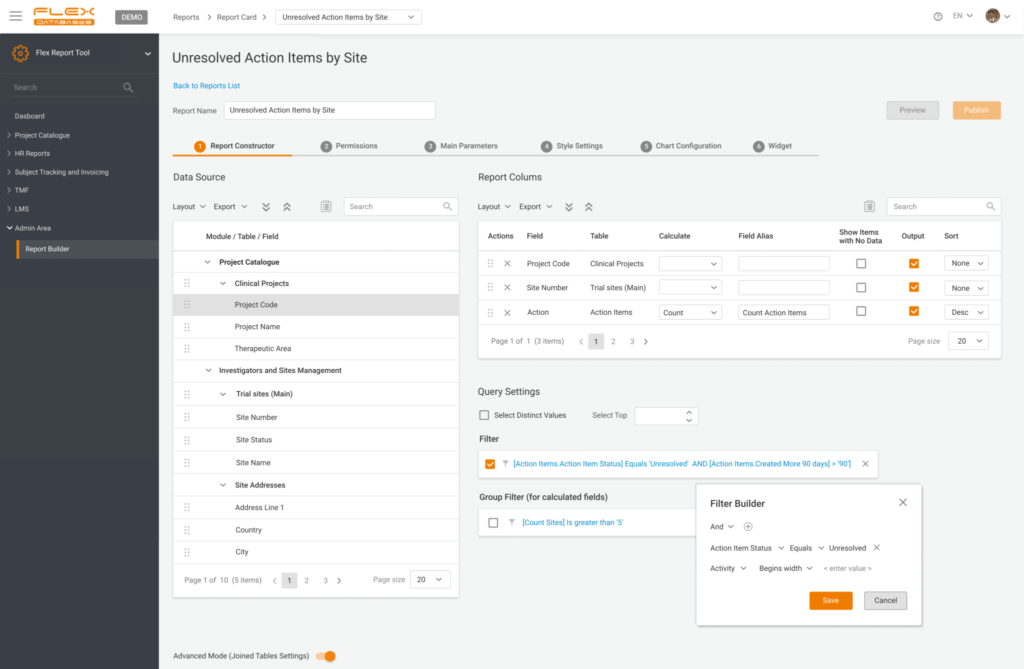
Step 1: Select data sources
Any field in our system is a source
You can pick as many as you want from as many tables as you wish – cross-reporting is a thing in our case
There are zero restrictions on types of data to combine
You are not limited to flat reports – add calculations to any field to obtain a SUM or average values
Ready for something advanced? Run a direct SQL query or add custom columns based on our pre-defined formulas
In the end, add grouping or filters to shape it however you like
2. Provide permissions
You can share your custom reports with anyone you like, from your study team to the whole company, or save it for yourself and keep it handy on the dashboard.
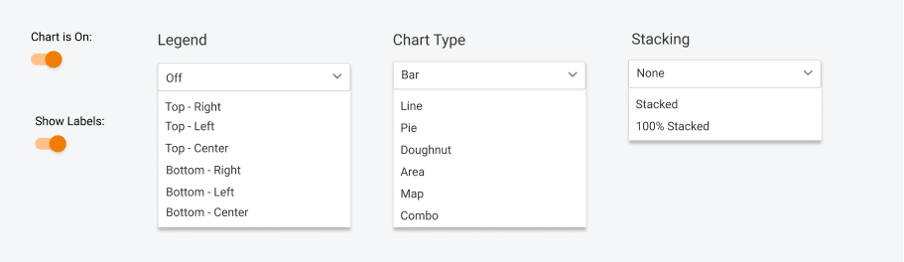
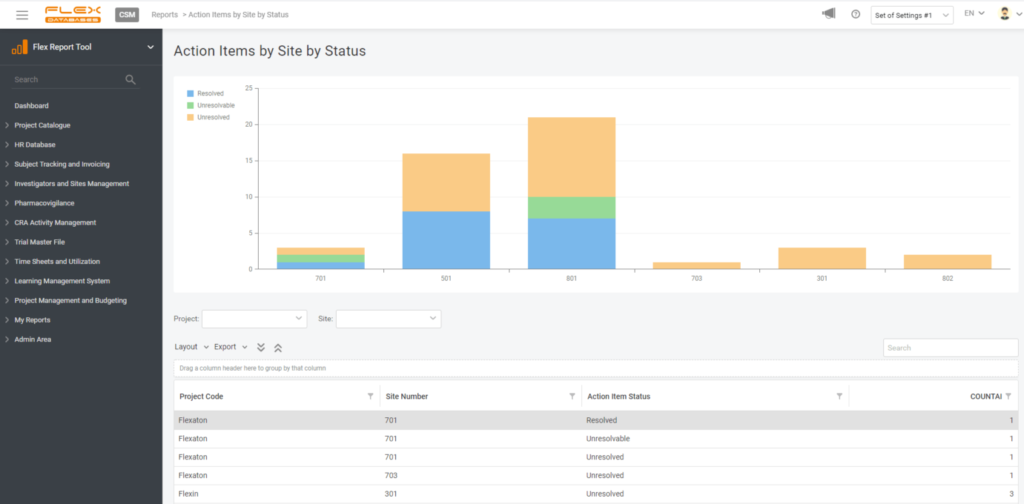
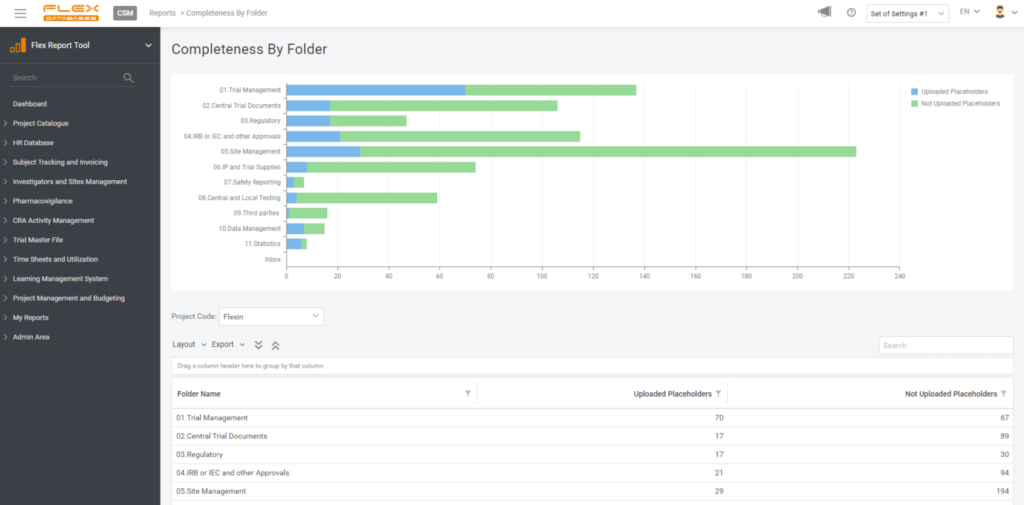
3. Pick your style
Visual representation is essential, so there are still no limits – you can pick any chart type, play with legend, data labels, etc.
4. Create a widget
If you wish, you can create a widget for your report to always keep it handy on your dashboard. You are free to pick any number of widgets to display and any dashboards to have this report pinned, so it won’t follow you around when there’s no need.
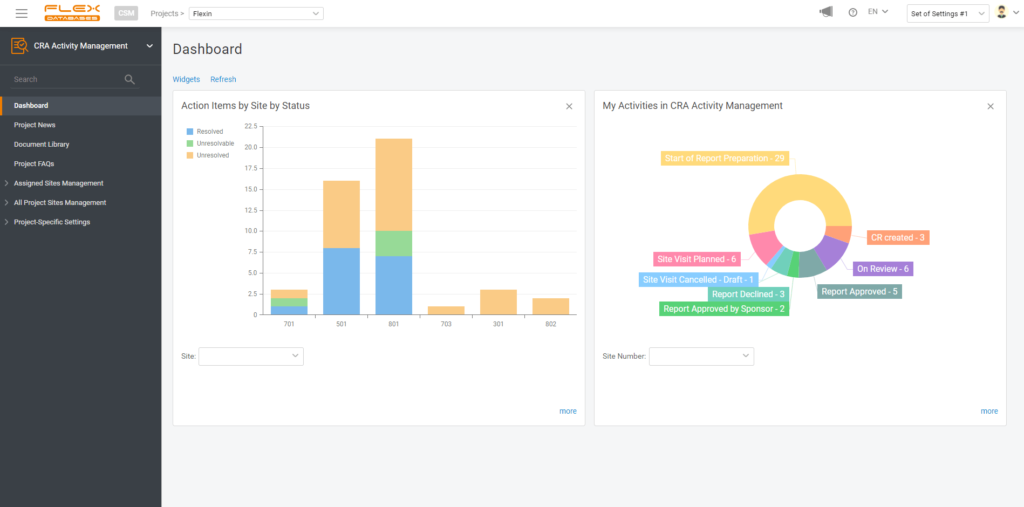
Let’s summarize the abilities of the Flex Databases Report Tool:
You can create a report from any data in the system
Style the report however you want
And add it as a widget if you’d like
And it’s free for all of our clients
Here’s an offer to test it out: send us a request to bd@flexdatabases.com or simply request a demo via the button on top of the page
More From the Blog

September 29, 2026
EDC Data Solution Specialist (Data Manager)
Learn more→

September 24, 2026
How ITS Achieved 98% TMF Completeness and Cut Audit Prep Time in Half
Learn more→

September 14, 2026
Flex Databases Product Updates: EDC, IWRS & eCRF Builder Updates That Remove Manual Work From Study Teams
Learn more→
Talk to us. See it yourself
Skip the generic demo. A specialist who works with this platform every day will walk you through it live, answer the hard questions directly, and show you exactly how it would run in your organization — not a script, not a slide deck.